
IPTVX
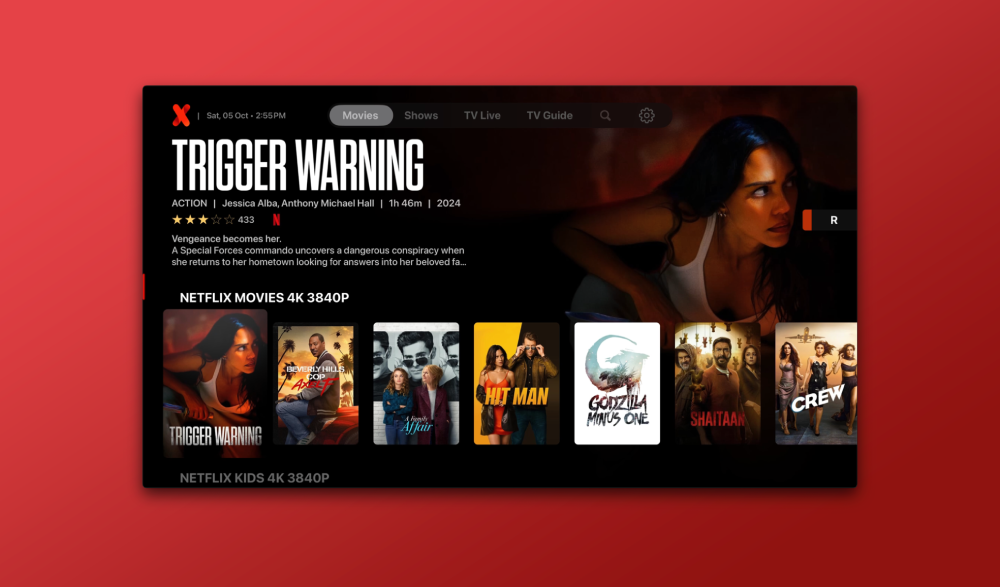
IPTVX is a fantastic IPTV app that, as of this writing, is only available for Apple devices (Apple TV, iPhone, iPad), but will also be released for Android devices as early as 2025! IPTVX is loved by many users thanks to its Netflix-like interface.
1. Download IPTVX
Start by visiting your device’s app store. Then search for “IPTVX” and find the correct app to download.
2. Tap “New Playlist”
Once you’ve opened the app, you’ll see a menu on the left side; tap “New Playlist.” Have your login credentials handy. Haven’t signed up yet? Click here.
3. Select Xtream API
In step 3, a window will appear where you can choose your login method. Here, select Xtream API.
4. Enter “uPlay+” in the “Playlist Name” field
A new window will now appear where you need to enter your login credentials. In the first step, enter “uPlay+”.
5. Enter our domain URL in the “Domain” field
In Step 5, you need to enter our domain URL, which we’ll provide after you place your order.
6. Enter your username in the "Your Username" field
In Step 6, you need to enter your username, which you’ll receive from us after placing your order.
7. Enter your password in the “Your Password” field
In Step 7, you need to enter your password, which we’ll provide after you place your order.
8. Click the “Save” button
*Please note that you should not enter anything in the “EPG’s URL” field, as it is filled in automatically. *Once you’ve entered everything correctly and clicked the “Save” button, you’ll see it loading. This may take a minute. Once it’s done, you’re ready to start watching whatever you want!
You’ll now be taken to the home screen, where you’ll see an icon; click on it to access all the content.
You’re all set!
Once you’ve logged in and the playlist has finished loading, you can start watching your soccer game, hockey game, favorite movie, or TV series. On this screen, you can choose whether you want to watch live channels, movies, or TV series.